Why ChatGPT Forgets Your YouTube Tone (And How to Fix It in 2026)
ChatGPT can't remember your YouTube channel's tone between sessions — and Custom Instructions don't fix it. Here's what does, for Indian creators in 2026.
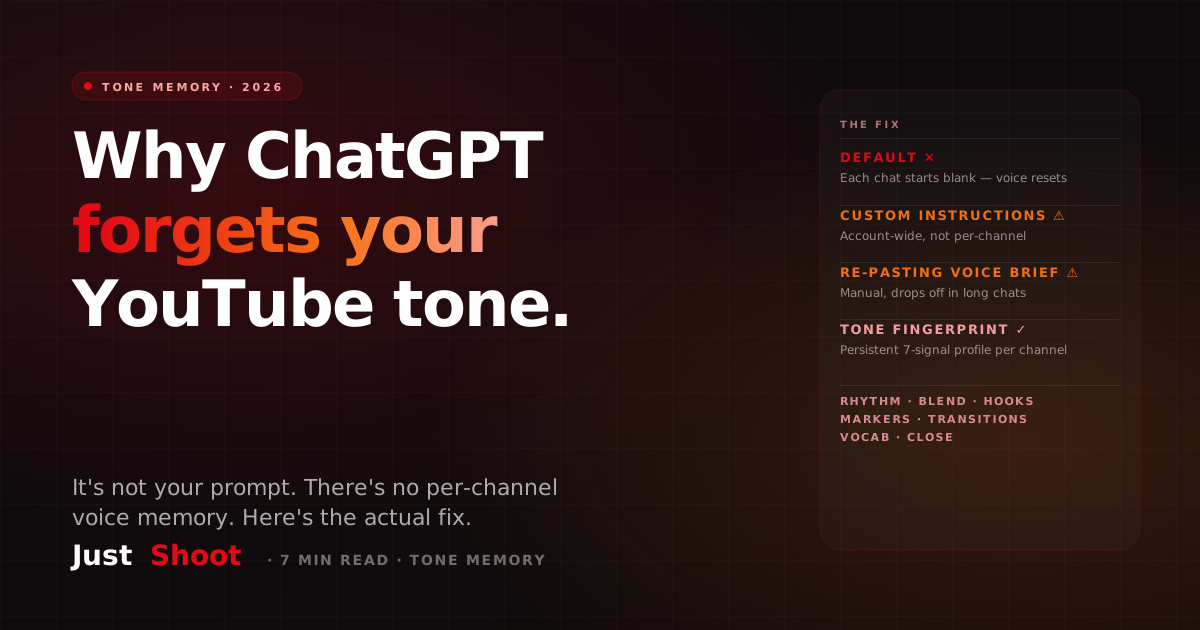
Why ChatGPT Forgets Your YouTube Tone (And How to Fix It in 2026)
By Ashok Sachdev, Founder of JustShoot · Published 9 September 2026
Short answer: ChatGPT forgets your YouTube channel's tone for one structural reason: there is no persisted per-channel voice profile inside it. Every new chat starts from a blank context window. Custom Instructions and the Memory feature help a little, but both live at the account level — not the channel level — and their influence fades as a conversation gets long. The fix is not a better prompt. It's locking your channel's tone signals — sentence rhythm, Hindi-English blend, hooks, identity markers — in a tool that loads them into every new script automatically.
Why every fresh ChatGPT chat sounds like a stranger wrote your script
You know the cycle. Monday you spend 30 minutes teaching ChatGPT your voice — paste two old scripts, explain your hook style, correct it five times until the draft finally sounds like you. By Thursday you open a new chat for the next video, and it's back to writing like a corporate blog: "In today's video, we will explore…"
Nothing broke. This is how the system is designed. A large language model only "knows" what's inside its current context window — the running transcript of the conversation in front of it. Open a new chat and that transcript is empty, so the model falls back to its default register: the polished, neutral, slightly formal English that dominates its training data. Your channel's tone was never stored anywhere; it was just temporarily present in one conversation's context, and it ended when the conversation did.
Two additional mechanics make it worse, and both are documented rather than speculation:
- No per-channel profile exists as a concept. ChatGPT's persistence features (Custom Instructions, Memory) attach to your account. There is no native object that says "this is the voice of my finance channel" vs "this is the voice of my vlog." If you run two shows — or write in Hinglish for YouTube but English for clients — one account-level preference cannot represent both.
- Attention dilution in long chats. Even within a single session, models pay less reliable attention to instructions buried far from the current turn. Research on long-context behaviour (Liu et al., Lost in the Middle, TACL 2024) showed models use information at the start and end of a long context far better than information in the middle. Your carefully written voice brief from message #1 is exactly the kind of mid-context instruction that drifts by message #40 — which is why drafts get more generic the deeper into a script session you go.
So the model isn't "forgetting" in a human sense. It never remembered. It was reading your notes off the table, and a new chat clears the table.
What Custom Instructions actually do (and why they're not enough for YouTube)
Custom Instructions are real and useful — let's be fair to them. Per OpenAI's documentation, they let you set standing preferences ("respond concisely," "I'm a YouTube creator in India") that get prepended to every conversation. The Memory feature, introduced in OpenAI's "Memory and new controls for ChatGPT" announcement, goes further: ChatGPT can save selected facts across chats and reference them later.
Here's why neither solves the channel-tone problem:
- They're account-wide, not channel-wide. One set of instructions applies to everything you do — script drafts, thumbnail text, emails, code. Multi-show creators can't switch profiles per project without manually rewriting the instructions each time.
- They store facts, not voice. Memory is built to retain things like "user prefers metric units" or "user runs a finance channel." Tone is not a fact — it's a pattern: how long your sentences run, where you switch from Hindi to English, how you open a video, the phrases only you use. A short text field cannot carry a rhythm.
- They dilute under load. A standing instruction is a few hundred tokens competing against a 3,000-word script discussion. The longer the working context, the weaker the standing instruction's pull — the same mid-context drift problem as above.
- You can't verify what was kept. Memory saves selectively; you discover what stuck only when output drifts.
Custom Instructions are a good default-setter for a one-person, one-voice, English-only setup. A YouTube channel — especially a Hinglish one — needs more signal than they can hold.
The 7 tone signals a model needs to keep — but doesn't
When we analysed creator scripts to build JustShoot's tone system, channel voice consistently decomposed into seven measurable signals:
- Sentence rhythm — your mix of short punches and long run-ons. ("Dekho. Simple hai." vs a 40-word explainer sentence.)
- Language balance — your exact Hindi : English ratio and where you code-switch (Hindi for emotion, English for technical terms, or the reverse).
- Hook strategy — question-first, shock-stat-first, story-first, or contrarian-claim-first openings.
- Identity markers — your catchphrases and verbal signatures: "yaar," "seedhi baat," "chalo shuru karte hain."
- Transition fingerprint — how you move between sections ("ab aata hai main point…").
- Vocabulary level — tapri-conversation simple or business-news formal.
- Close pattern — how you land the ending and the CTA.
Generic models flatten all seven toward the training-data average, and the Hinglish blend dies first. Tell ChatGPT to "write in Hinglish" and you typically get token Hindi sprinkled on English bones — "Toh doston, aaj hum discuss karenge the top five mutual funds" — instead of your actual blend, where maybe the analysis runs in English and the punchlines land in Hindi. If your scripts keep failing the sniff test, run one through the free AI Script Robot-Score — most generic drafts trip the same five robotic tells, and the tone signals above are exactly what's missing. (Deep dive: why AI YouTube scripts sound robotic — and the fix.)
A persistent Tone Fingerprint vs re-prompting every time (the fix, named)
The fix is architectural, not promptual: persist the tone profile outside the chat, and inject it into every generation automatically.
That's what a Tone Fingerprint is. Instead of you describing your voice in prose every session, the system analyses transcripts of your actual published videos and extracts the seven signals above into a structured profile — stored per channel, permanently. Every new script starts with that profile already loaded. Nothing to re-paste, nothing to re-teach, no drift between Monday's chat and Thursday's. That mechanism is the first stage of JustShoot's nine-agent pipeline: the fingerprint is captured once at onboarding and then applied to research, scripting, and shorts automatically.
Three honest clarifications:
- This is tone cloning, not voice cloning. It reproduces how you write and structure a script — not your audio. (Full distinction: voice clone vs tone clone for YouTube.)
- The concept isn't exclusive to us. Marketing tools like Jasper offer a "Brand Voice" feature aimed at the same persistence problem for marketing copy. The difference is what the profile captures: a YouTube tone profile needs hook strategy, code-switch ratio and spoken rhythm — signals a brand-copy style guide doesn't model.
- A fingerprint is only as good as its source. It's derived from your real videos, so a brand-new channel with zero uploads should start with the manual methods below first.
When per-session prompts are enough (and when they aren't)
Honest decision table — you don't need a persistent profile for everything:
Per-session prompting is fine when: you make one-off content, your tone is close to default polished English anyway, you post occasionally and don't mind 15–20 minutes of voice-coaching per draft, or you're still discovering your tone (in that case, start with how to define, test and lock your channel's tone of voice).
You need persistence when: you publish weekly or faster (the re-teaching tax compounds), you write in Hinglish or Hindi (the first thing generic models flatten — see can AI write YouTube scripts in my voice, in Hindi?), you run multiple shows with different voices, or your audience already calls out videos that "don't sound like you."
The middle path — a written style guide you paste into each chat — works better than nothing. If you want to try it before committing to any tool, here's how to write a YouTube script in your own voice with AI, including the paste-able brief format. Just know its two failure modes in advance: it's manual every single time, and it dilutes in long chats for the reasons above.
A 3-step setup to never re-teach your voice again
- Capture from real videos, not from memory. Pick 3–5 published videos that sound most like you on a good day. These transcripts are the ground truth — what you actually say, not what you think you say. (Most creators misreport their own Hindi-English ratio; if you're curious, the free Hinglish ratio checker measures it from a real transcript.)
- Extract the seven signals into a stored profile. Run the videos through the free Tone Fingerprint test — it returns your rhythm split, blend ratio, hook strategy, identity markers, transitions, vocabulary level and close pattern as a structured profile. Even if you keep using ChatGPT for drafting, that printout makes a dramatically better paste-in brief than "write casual and friendly."
- Make injection automatic, then spot-check. The step that kills the forgetting problem is removing yourself from the loop: a persistent profile applied to every generation, not a ritual you perform. Once running, spot-check monthly — your tone evolves, so refresh the fingerprint from newer videos every few months.
The pattern to remember: prompts are per-session; profiles are persistent. ChatGPT gives you the first. Your channel needs the second.
FAQ
Why does ChatGPT lose my brand voice between chats? Each new chat starts from an empty context window — the model only knows what's inside the current conversation. Your tone was never stored as a profile, so a fresh session falls back to the model's default polished-English register. Custom Instructions persist at the account level, but long conversations dilute their influence.
Don't Custom Instructions solve this? Partially. They set standing defaults, but they apply to every chat regardless of which channel or show you're writing for, and they store short text — not rhythm, code-switching ratio or hook patterns. They suit a one-creator, one-voice setup; multi-show and Hinglish creators outgrow them quickly.
Can I just paste a "voice brief" at the start of every chat? Yes, and it beats nothing — but it's manual, lossy, and the model's attention to it drops as the chat grows (the documented long-context drift problem). Most creators abandon the ritual within weeks. A persistent profile does the same job without the re-pasting tax.
What's a Tone Fingerprint? A structured profile of seven signals extracted from your real published videos — sentence rhythm, Hindi-English language balance, hook strategy, identity markers, transition style, vocabulary level and close pattern — stored per channel and applied automatically to every new script. You can generate one free at justshoot.ai/tools/tone-fingerprint.
Does this matter more for Hinglish creators? More, not less. Generic models flatten code-switching toward neutral English, so your exact Hindi-English blend ratio is the first signal lost between sessions. A persisted blend ratio — measured from real transcripts, not guessed — is precisely what re-prompting fails to preserve.
Stop re-teaching your voice every Monday. Run your channel through the free Tone Fingerprint test — it takes your real videos and returns the seven-signal profile ChatGPT can't hold — or see how the nine-agent pipeline applies it to every script automatically.
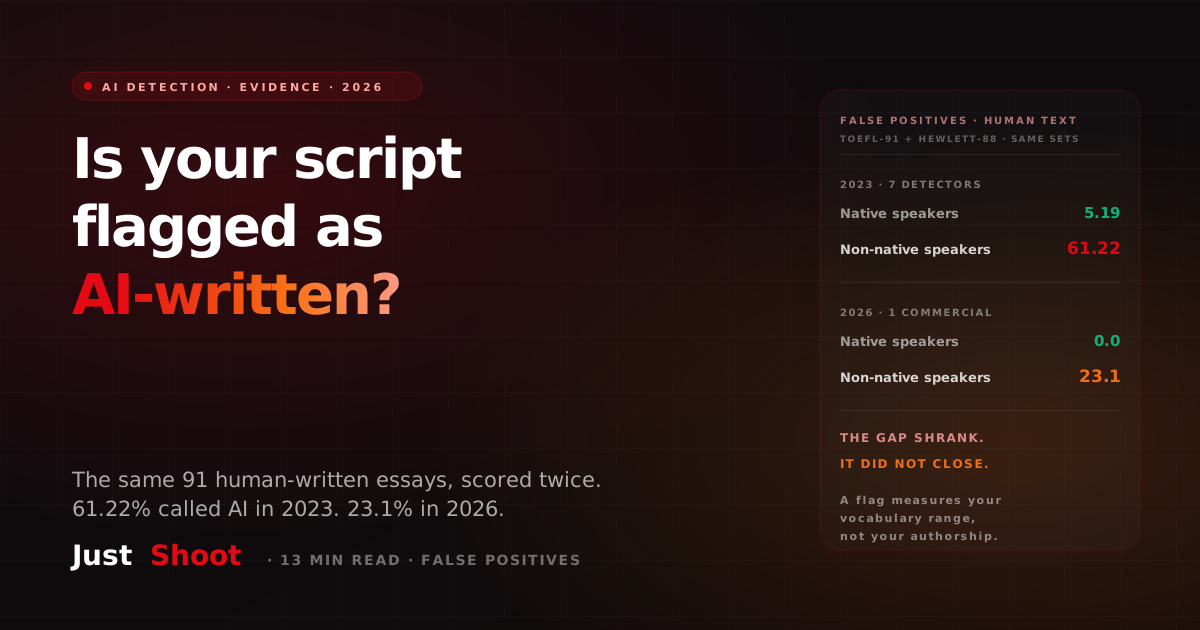
How to Check If Your YouTube Script Sounds AI-Generated (2026)
The same 91 human-written essays were scored by AI detectors twice: 61.22% were flagged as AI in 2023, 23.1% in 2026. Native-speaker essays scored 5.19% and 0.0%.
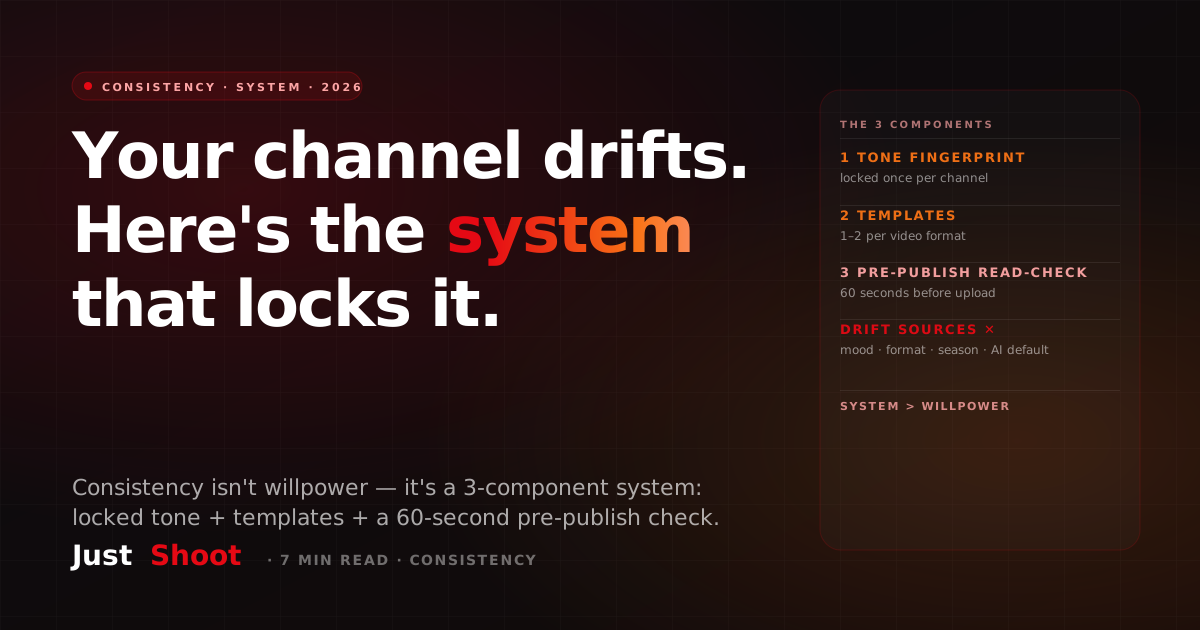
How to Keep Your YouTube Channel Voice Consistent (India 2026)
Your YouTube channel sounds different in every video. Here's the 3-component system Indian creators use to lock voice consistency across 100+ scripts in 2026.
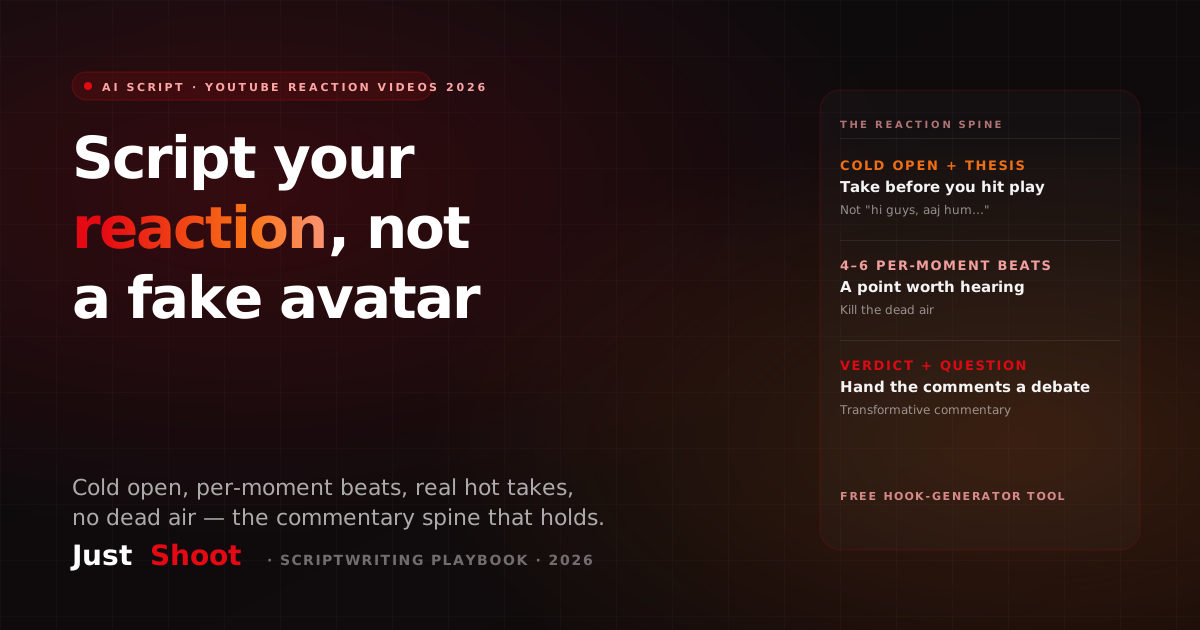
AI Script for YouTube Reaction Videos (India, 2026)
Most 'AI reaction video' tools generate a fake reacting avatar. The harder job — writing what YOU actually say around the clips — is what a reaction script is. The honest 2026 guide.