YouTube Title Tester: Check Your CTR Before You Upload (Free, India)
Test 1–3 YouTube titles before upload with a free tester: CTR, keyword and AI-Overview scores, a winner pick, and a mobile truncation check. Hinglish aware.
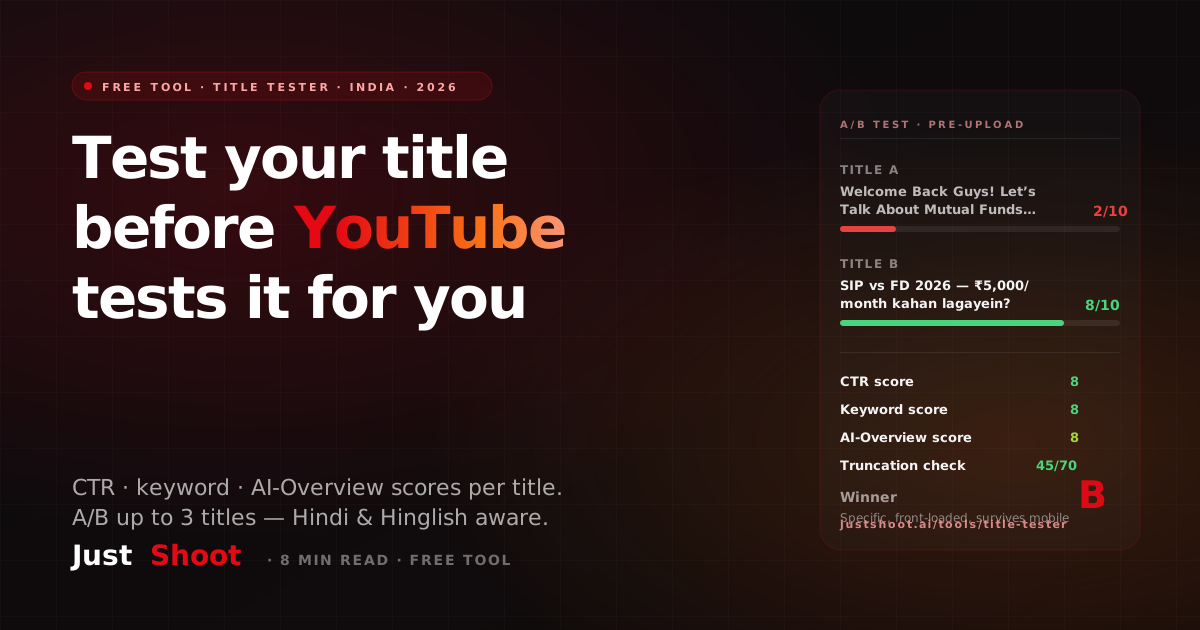
YouTube Title Tester: Check Your CTR Before You Upload (Free, India)
By Ashok Sachdev, Founder of JustShoot · Published 2026-07-08
Short answer: JustShoot's free YouTube Title Tester scores 1–3 candidate titles before you upload — a CTR score, a keyword score, and an AI-Overview score out of 10 for each, plus a one-line verdict, a concrete rewrite for weak titles, and a named winner with reasoning. Calibrated for Hindi, Hinglish, and English across 11 Indian niches. No signup; five tests an hour.
Every creator I know runs the same ritual: type a title into the upload screen, stare at it, change two words, stare again, hit publish, and hope. The title is the highest-leverage thirty seconds of the whole upload — and the only step most of us do with zero feedback. This post walks through exactly how the tester scores a title, what an A-vs-B decision looks like in practice, and the one silent killer (mobile truncation) that no amount of staring will catch.
What does the title tester actually check?
You paste one to three candidate titles, pick a niche (eleven India-focused options, from faceless commentary to finance to cooking) and a language — English, Hindi, or Hinglish. Each title comes back with three numbers out of 10:
- CTR score — hook strength, specificity, and whether the title survives being cut short in a feed.
- Keyword score — how well the wording matches what people in your niche actually search, in the language they search it.
- AI-Overview score — citation-friendliness for Google's AI answers and chat assistants, which reward question phrasing and direct, entity-rich wording over classic keyword stuffing.
Alongside the numbers you get a one-sentence verdict (what's right or wrong with the title), a one-sentence fix (a concrete rewrite suggestion — skipped when the title is already strong), and, when you've entered more than one title, a winner with a stated reason. That last part matters: you're not comparing three bare numbers, you're reading an argument for why B beats A.
How does the tester score a title?
Honestly stated: this is an AI scoring pass against a fixed rubric, not a deterministic checksum and not a live-traffic experiment. The rubric the model is held to:
- Front-loaded keyword — the primary search phrase in the first three words gets rewarded; a keyword buried at the end gets flagged.
- 40–70 characters — the band that survives search results and mobile feeds (more on that below).
- An action verb and specificity — a number, a year, a timeframe, or a named audience beats a vague superlative.
- Penalties — "Hey guys", "Welcome back", and emoji-spam clickbait are explicitly marked down.
- Honesty — the rubric instructs the scorer not to praise a title it wouldn't click. Most first-draft titles land at 5/10 or below, and that's by design. A tester that hands out 8s to everything is a mirror, not a tool.
Because a language model does the scoring, re-running the same title can shift a point here or there. What stays stable is the ranking between titles and the verdicts — which is what a pre-upload decision actually needs.
Title A ya B — upload se pehle kaise decide karein?
Here's what the decision looks like with real pairs. These examples are illustrative — plausible scores worked through the rubric above, not screenshots of a live run — but they show exactly how the reasoning lands.
Pair 1 — tech review (Hinglish).
- A: "iPhone 17 Unboxing and Full Review With All The Details!!!"
- B: "iPhone 17 review — 15 din baad asli sach"
A front-loads the product name and sits at an acceptable 58 characters, but "All The Details" promises nothing specific and the triple exclamation reads as spam — call it CTR 4, keyword 6. B is 40 characters, keeps the keyword up front, and adds two things A lacks: a timeframe ("15 din baad" — a review after living with the phone) and a curiosity hook ("asli sach"). CTR 8, keyword 7. Winner: B, because specificity plus a Hinglish hook beats an exhaustive-sounding but empty promise.
Pair 2 — finance (Hinglish).
- A: "Welcome Back Guys! Let's Talk About Mutual Funds Today"
- B: "SIP vs FD 2026 — ₹5,000/month kahan lagayein?"
A is the textbook penalty case: the first five words are a greeting, the keyword ("mutual funds") arrives at character 30, and there's nothing to click for. CTR 2, keyword 3. B front-loads a comparison people genuinely type, carries a year and a concrete amount, and — because it's phrased as a direct question — scores well on the AI-Overview dimension too (question-format titles are the kind AI answers quote). CTR 8, keyword 8, AI-Overview 8. Winner: B, by a distance.
Pair 3 — cooking, the truncation trap.
- A: "Paneer Butter Masala Restaurant Style Recipe at Home Step by Step Full Video"
- B: "Paneer butter masala — restaurant style, 20 min"
A is 77 characters. Everything after "Home" — the "Step by Step Full Video" — is dead weight that viewers on mobile will never see, and it pushed nothing important out front, so it merely survives: CTR 5. B says less and communicates more: 47 characters, keyword first, a time promise. CTR 7. Winner: B — and this pair is why the length check exists, because A looks thorough on a desktop upload screen and quietly loses its tail on every phone in your audience.
Why do titles get cut off on mobile?
YouTube accepts up to 100 characters, but almost nobody sees 100. Search results and mobile home/subscription feeds cut titles at roughly 60–70 characters, which makes 40–70 the practical band and the first 40 the only real estate you fully control. The tester bakes this in: title length is part of the CTR score, and a title that will lose its tail on mobile gets called out in the verdict.
Two India-specific wrinkles worth knowing:
- Devanagari counts differently than it reads. In Unicode, a word like "कैसे" is four characters but renders as two glyph clusters — matras (vowel signs) attach to consonants. So a Devanagari title's raw character count runs higher than what your eye sees, and a 65-character Hindi title is usually visually shorter — and safer — than a 65-character English one. The tester's input shows a live character count per title, so you can watch the number as you trim.
- Hinglish hook words are compact. Kaise, sirf, bina, asli — the words the tester counts toward hook strength — are short. A Hinglish rewrite often fits a hook, a keyword, and a number inside 50 characters where the English version needed 75. That's not a style preference; it's a truncation strategy.
The fix-before-upload workflow is short: draft your 2–3 candidates, run them, read the verdicts, apply the suggested fix to your best title if it's still under 7/10, re-test once, upload. Under two minutes, and it replaces the staring ritual with an actual decision.
What if my titles all score badly?
Then the problem is upstream — you're polishing weak candidates. Two honest routes:
- Need raw ideas first? A tester scores what you bring it; it doesn't brainstorm. If the well is dry, start with a generator and bring its output back here to score — I've ranked the options for Indian channels in the AI title generator comparison for Indian creators.
- Weak titles usually mean a weak hook. If every candidate feels flat, the video's opening promise is probably flat too. The free hook generator attacks that end of the problem — nail the first-30-seconds promise, and titles tend to write themselves from it.
There's also the email option on the tester itself: submitting your email bumps you from 5 to 15 tests an hour and emails you a PDF of 10 alternative title variants for your topic — useful precisely when all three of your own candidates scored a 4.
Where does this fit in a full publish workflow?
A title tester is one checkpoint. A strong title on a weak description still loses to a rival whose whole listing is tight, so once the video is drafted, score the full listing — title, description, tags and chapters together — not just the headline. If you find yourself running it every upload and rewriting from scratch every time, the leverage is in generating publish-ready metadata instead of repairing it. JustShoot's pipeline takes a topic to a full package — script in your tone, title options that already pass these checks, thumbnail brief, SEO — with plans at Trial ₹0 (7 days, 2 scripts, no card) · Starter ₹499/mo (3 scripts) · Creator ₹999/mo (7 scripts, most popular) · Pro ₹1999/mo (15 scripts) · Studio custom — GST-inclusive, monthly, fixed scripts per month with no rollover. Details on the pricing section.
But you don't need any of that to use the tester. Run your next title through it before you upload — it's free, and the two minutes it takes is the cheapest CTR insurance you'll buy this year.
FAQ
Is the YouTube title tester free? Yes — no signup, 5 title tests per hour per IP. Adding your email raises that to 15 per hour and sends you a PDF with 10 alternative title variants for your topic. The tester stays free regardless of whether you ever use JustShoot's paid product.
Kya Hindi aur Hinglish titles test kar sakte hain? Haan — English, Hindi (Devanagari aur Latin script dono), aur Hinglish teeno supported hain. Hinglish hook words jaise kaise, sirf, bina hook strength mein count hote hain, aur language setting scoring ko tune karti hai — Hindi-first viewers jaise search karte hain, waise.
How accurate is a pre-upload title score? It's an AI rubric pass, not a prediction of your actual CTR — nothing pre-publish can measure real clicks. What it reliably catches are the failures that are knowable in advance: a buried keyword, a title that truncates on mobile, a greeting where the hook should be, an English title on a topic your audience searches in Hinglish.
How many characters before a YouTube title gets cut off? YouTube allows 100 characters, but search results and mobile feeds truncate at roughly 60–70. Keep titles in the 40–70 band and put the primary keyword in the first 40 characters — the tester flags titles that will lose their tail on mobile.
Can I A/B test titles after upload instead? Yes — TubeBuddy runs live post-publish title experiments with real traffic, which is more accurate but needs a paid plan, channel access, and weeks of data during your video's most important early window. The pre-upload tester is the complement, not the replacement: pick your strongest launch title free in a minute, then run a live experiment later if the video earns it.
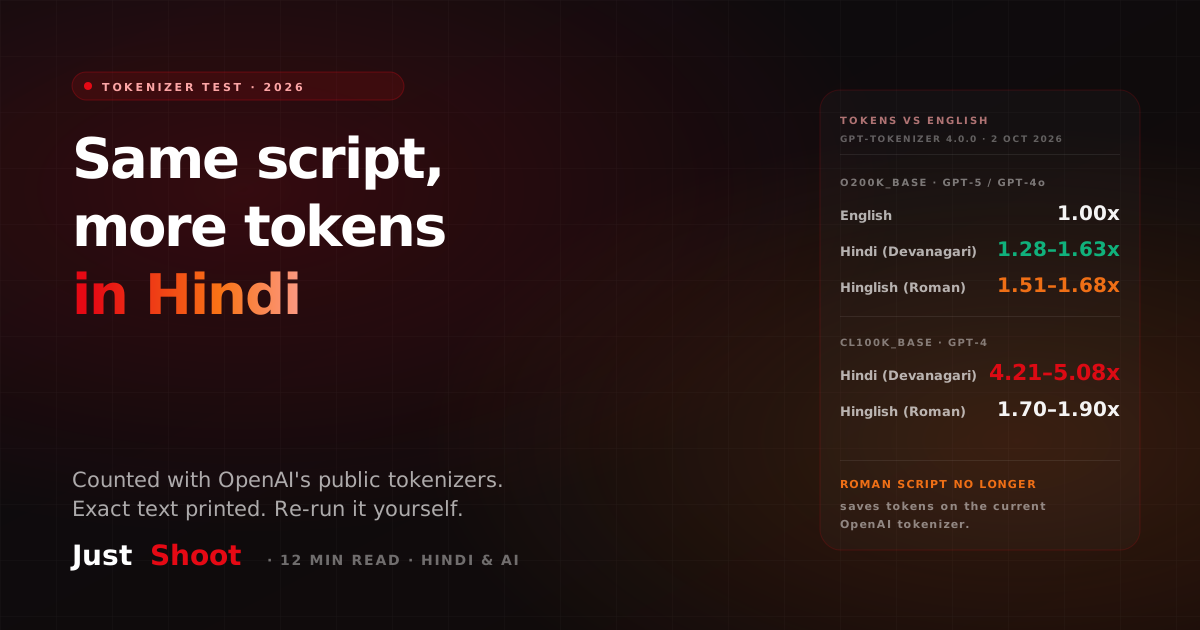
A Hindi Script Costs More Tokens Than the Same Script in English (2026)
One YouTube script in English, Devanagari Hindi and Hinglish, run through OpenAI's public tokenizers. On GPT-5's, Hindi costs 1.28–1.63x the English tokens.
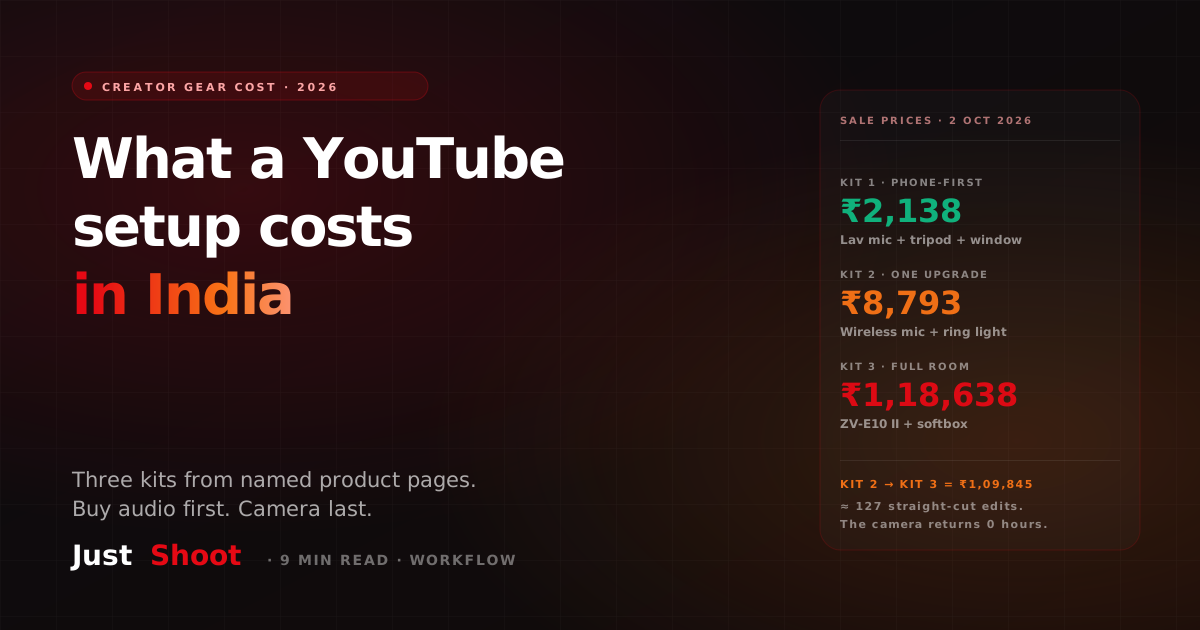
What It Costs to Kit Out a YouTube Setup in India (2026)
Three YouTube starter kits with rupee totals — ₹2,138, ₹8,793 and ₹1,18,638 — from named Indian product pages captured 2 October 2026, and what not to buy first.
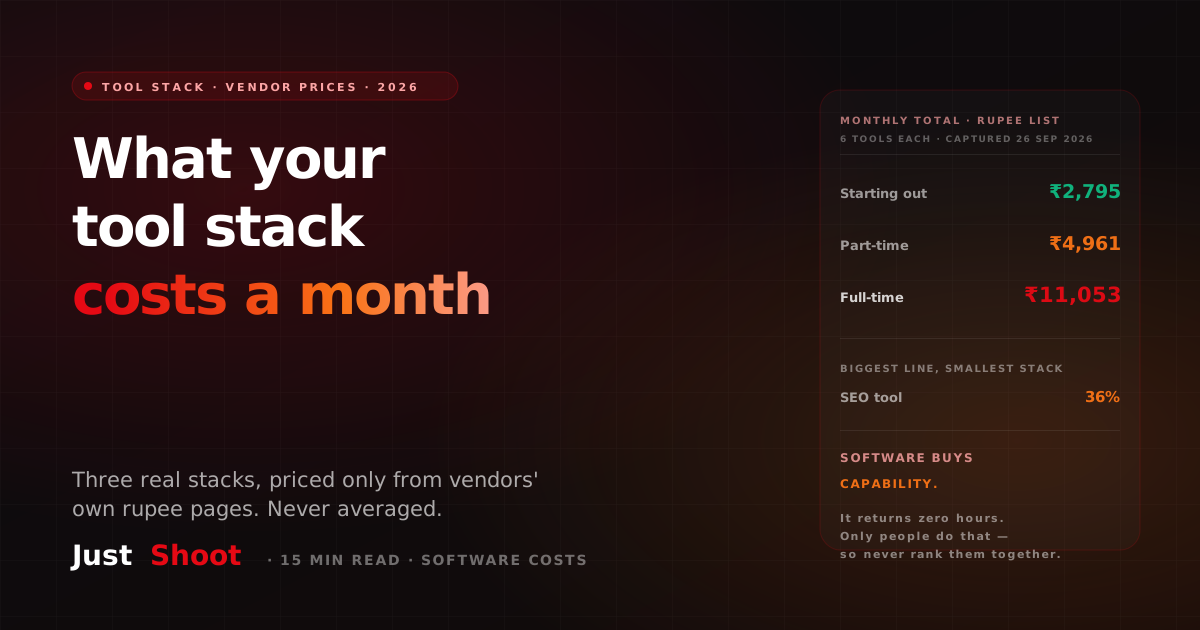
What an Indian YouTuber's Tool Stack Costs a Month (2026)
Three real creator tool stacks priced only from vendors' own India rupee pages on 26 September 2026 — ₹2,795, ₹4,961 and ₹11,053 a month, kept separate and never averaged.