How to Prepare a YouTube Live Stream Script (Run-of-Show, India 2026)
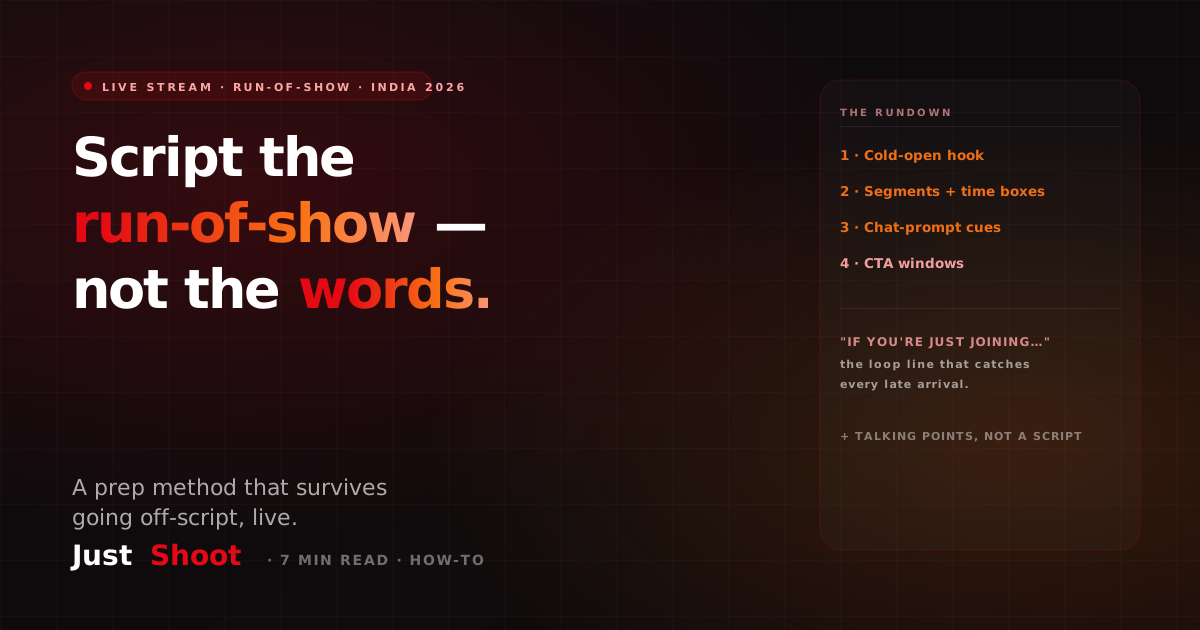
You don't script a live stream word-for-word — you script the run-of-show: a cold-open hook, a segment rundown with time boxes, chat cues, a late-joiner loop line, and CTA windows. The prep method that survives going off-script.
How to Prepare a YouTube Live Stream Script (Run-of-Show, India 2026)
By Ashok Sachdev, Founder of JustShoot · Published 2026-07-02
Short answer: You don't script a YouTube live stream word-for-word — you script the run-of-show: a cold-open hook, a segment rundown with time boxes, chat-prompt cues, a "welcome late-joiners" loop line, and clear CTA windows. Prepare talking points, not a teleprompter, so you stay live and reactive while never running out of things to say.
I build an AI scripting tool for Indian creators, and live streams are the one format where people assume no prep is possible — it's live, so you just talk, right? The best streamers do the opposite. They walk in with a tight run-of-show and improvise the delivery. That plan is the difference between a focused 45-minute stream people stay for and a rambling one that bleeds viewers in the first five minutes.
Why you script the run-of-show, not the words
A live stream read off a script sounds robotic and kills the one thing live has going for it: presence. But "no script" and "no plan" are different problems. With no plan you hit dead air, forget the CTA, ignore the chat, and never get to the point you went live to make.
The fix is a run-of-show — the broadcast term for a segment-by-segment map of what happens and roughly when. You script the skeleton and improvise the flesh, the same discipline behind scripting a podcast or interview, where you prep the spine and let the conversation breathe. For live, the spine is even more important because you can't edit out the boring parts afterwards.
1. The cold-open (your first 60 seconds live)
Most streamers waste the opening on "hey guys, can you hear me, let me know in the chat." Meanwhile the algorithm is deciding whether to surface your stream, and early viewers are deciding whether to stay.
Script an intent line for the cold-open: the single reason someone should stay for the next hour, delivered in the first minute. "Today I'm going to show you exactly how I set up my UPI autopay — and the one setting most people get wrong." This is the live version of a strong first-30-seconds hook: earn attention before you do housekeeping. Say the hook first, then welcome people and check audio. Which means the hook has to exist before you go live, not get improvised at 8:01 — the Hook Generator will give you three cold-open formats for the topic and language you are streaming in.
2. The segment rundown with time boxes
The core of a live script is a numbered rundown with rough time boxes. A time box isn't a countdown you obey to the second — it's a guardrail so you don't spend 30 minutes on the intro. A typical 45-minute stream:
- Cold-open + hook — 0:00–2:00. The promise, then a quick welcome.
- Context / setup — 2:00–8:00. Why this topic, what you'll cover, set expectations.
- Main segment A — 8:00–22:00. The meat. The thing you promised in the hook.
- Chat break / Q&A — 22:00–30:00. Answer live questions; this is where community forms.
- Main segment B — 30:00–40:00. Second point or a demo.
- CTA + close — 40:00–45:00. The ask, the next stream, the sign-off.
Write the rundown on one screen you can glance at. If a segment runs long because the chat is engaged, that's fine — the time box just tells you which later segment to trim so you still land the close.
3. Chat-prompt cues (the engagement layer)
Live's superpower is two-way. A stream where the host never reads the chat is just a worse pre-recorded video. So script chat cues — specific moments where you deliberately pull the audience in:
- An opening poll or question: "Before we start — type 1 if you're a full-time creator, 2 if it's a side hustle." It seeds the chat instantly.
- Mid-segment check-ins: "Drop a question in the chat and I'll get to it in the Q&A block." This tells viewers a payoff is coming, so they stay.
- Named shout-outs: plan to greet regulars and new subscribers by name. It's the single cheapest loyalty move on the platform.
You can't script what the chat will say, but you can script the prompts that make them say something. Scripted cues, spontaneous answers.
4. The "welcome late-joiners" loop line
On a live stream, viewers arrive continuously — someone joins at minute 18 with no idea what's happening. If you never re-orient them, they leave. So write one reusable loop line you can drop every 8–10 minutes:
"If you're just joining — today we're breaking down [topic], we've covered [X], and coming up is [Y]. Welcome in."
It costs ten seconds, catches every new arrival, and doubles as a natural segue between segments. Have it written down so you deliver it cleanly instead of fumbling a re-cap on the spot.
5. CTA windows (ask more than once)
A pre-recorded video usually has one CTA at the end. A live stream has windows — because your audience is turning over the whole time, a single close-of-stream ask reaches only the people still watching at minute 45. Script two or three CTA moments:
- Early soft ask: "If this is useful, hit like so more people see we're live." (Likes surface the stream.)
- Mid subscribe ask: tied to a value moment, right after you deliver something concretely useful.
- Close ask: the real one — subscribe, the next stream time, and a clear next step, the same way you'd write a deliberate end-screen CTA and handoff on a normal upload.
Spacing the asks means you reach early leavers and the loyal tail without nagging any single viewer.
6. Prep talking points that survive going off-script
The whole point of a run-of-show is that it holds up when you inevitably wander. Under each segment, write 3–5 talking-point bullets — not sentences. Bullets are glanceable; sentences tempt you to read aloud and sound scripted.
For a segment on, say, a phone review: bullets like "battery — real-world day test," "camera — low light vs rival," "the one dealbreaker." If the chat drags you onto the camera for ten minutes, your other bullets are still sitting there waiting. You come back, glance down, and pick up the thread. That's what "surviving going off-script" means: the plan is a map you can always return to, not a cage.
Keep the whole run-of-show to one page. If you need to scroll during a live stream, it's too long.
Where JustShoot fits
Inside JustShoot's 9-agent pipeline, the script agent drafts the run-of-show for you in your channel's voice — a cold-open hook, a time-boxed segment rundown, chat-prompt cues, your late-joiner loop line, and spaced CTA windows, all as glanceable talking points rather than a word-for-word read. You walk in with a one-page plan instead of improvising the structure live.
JustShoot starts at Trial ₹0 (7 days, 2 scripts, no card), then Starter ₹499/mo (3 scripts), Creator ₹999/mo (7 scripts, most popular), Pro ₹1999/mo (15 scripts), and Studio is custom. Every plan runs the full pipeline — see pricing.
Want to check that your talking points sound like you and not a generic template? Run a draft through the JustShoot Robot Score tool.
FAQ
Should I script a YouTube live stream word-for-word? No. A verbatim live script sounds robotic and kills the presence that makes live worth watching. Script the run-of-show instead — the cold-open hook, a time-boxed segment rundown, chat cues, a late-joiner loop line, and CTA windows — then improvise the actual delivery.
What is a run-of-show for a live stream? It's a segment-by-segment map of your stream with rough time boxes: what happens, in what order, and roughly when. It keeps a live broadcast focused without forcing you to read a script, so you don't overrun the intro or forget the close.
How do I keep viewers who join a live stream late? Write one reusable "welcome late-joiners" loop line and drop it every 8–10 minutes: what the topic is, what you've covered, and what's coming up. New arrivals get oriented in ten seconds instead of leaving confused.
When should I put the call-to-action in a live stream? Use CTA windows, not one ending ask. A soft "hit like" early, a subscribe ask after a value moment mid-stream, and the real ask at the close. Because live audiences turn over constantly, spacing the asks reaches early leavers and the loyal tail alike.
Can AI write a live stream script? Yes — an AI scripting tool can draft the run-of-show: a cold-open hook, a time-boxed rundown, chat-prompt cues, your loop line, and CTA windows, in your channel's voice. You still run the stream live; the tool removes the blank-page prep so you're never staring at an empty plan an hour before you go live.
Ashok Sachdev is the founder of JustShoot, an AI content OS that writes YouTube scripts in your own voice for Indian creators. Connect on LinkedIn.
The Most-Subscribed YouTube Channels in India — and What They Have in Common (2026)
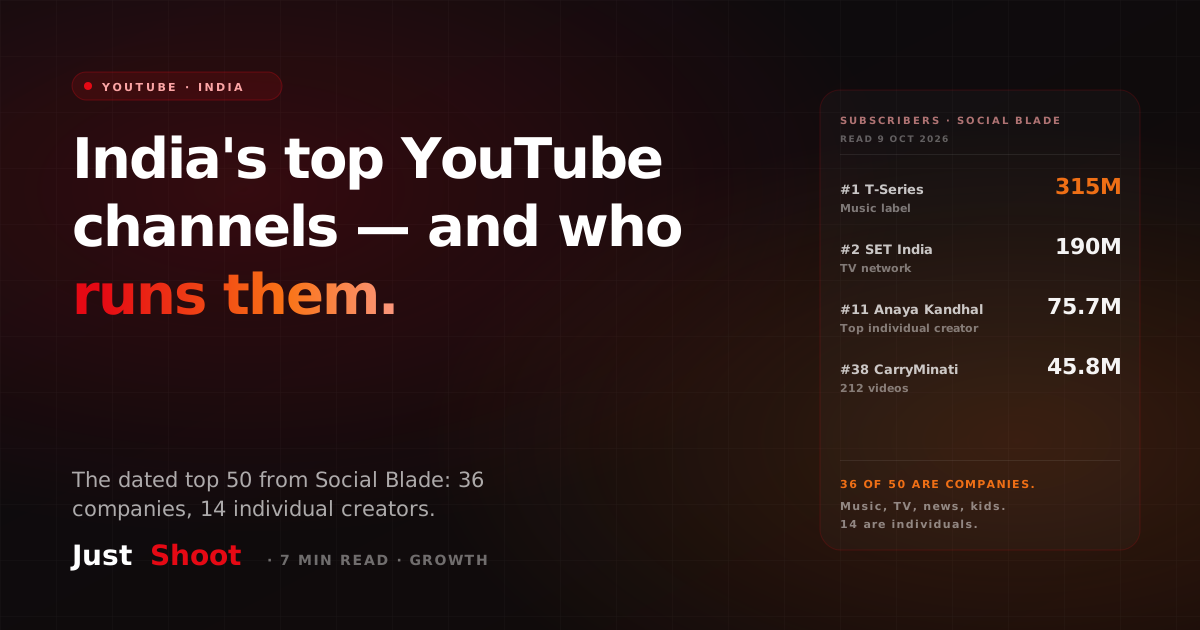
T-Series leads India's YouTube with 315 million subscribers. Of the top 50 channels, 36 belong to music labels, TV networks, news and kids' brands. Only 14 are individual creators.
How Many Indians Watch Game Streams? (2026)
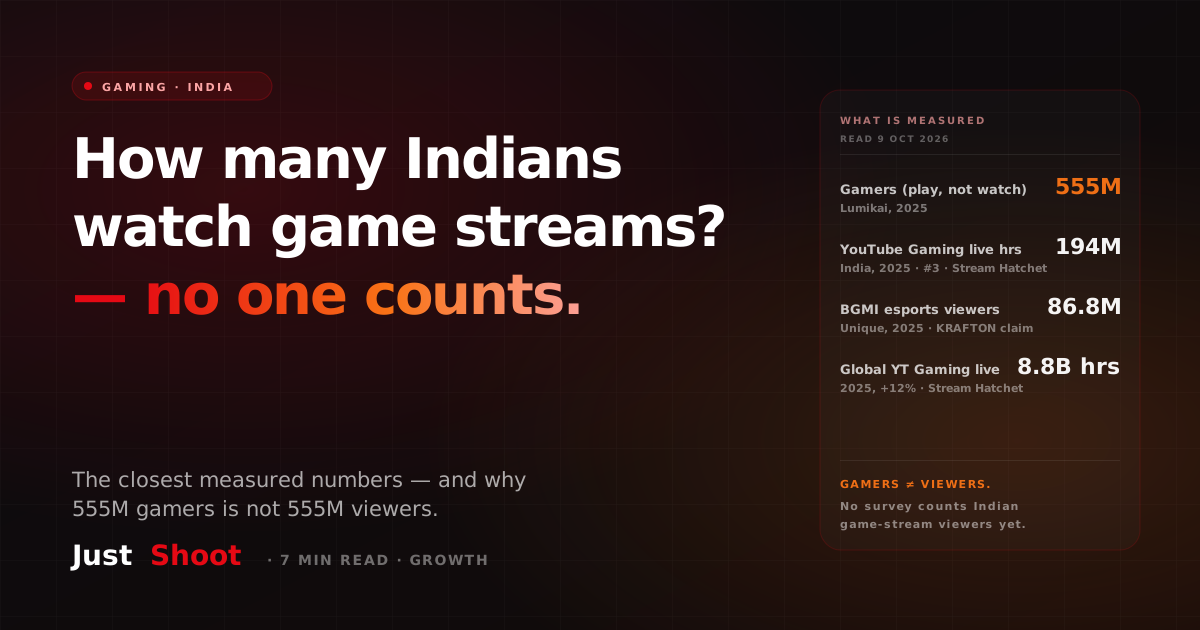
India has 555 million gamers, but nobody publishes how many watch game streams. Here are the closest measured numbers — hours watched, esports viewers — and what they count.
How Much Mobile Data Does an Indian Use Each Month — and How Much Is Video (2026)
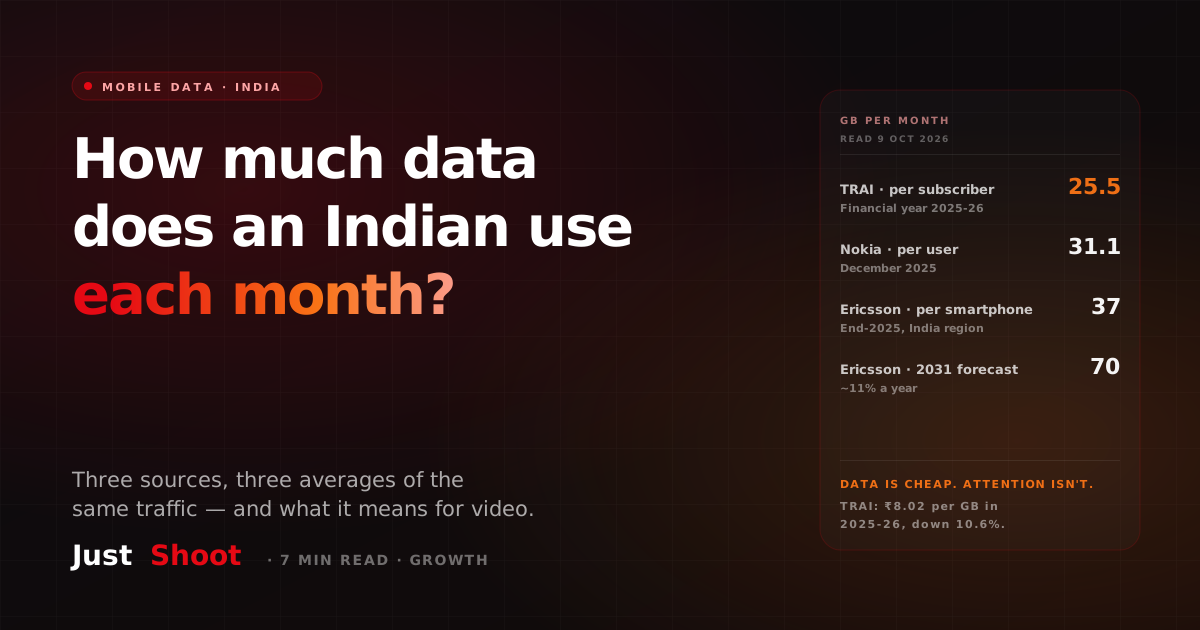
TRAI says 25.5 GB, Nokia says 31.1 GB, Ericsson says 37 GB. Why three official-looking numbers differ, and what India's data habit means for video creators.